Indecent Act
said
:
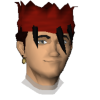
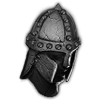
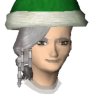
Here you go, not sure if the transparency worked out that well, similar foreground and background colours don't always work well when applying transparency.
I can upload the original if you don't like, just let me know if you want it changed
Not much has been happening, been working on my site in my spare time. I have some some updates planned for Linkify but not until I've got my site updated.
I did make some changes to the lightbox based on your last feedback, but other than that I don't think much has changed recently.
I recommend taking a screenie in POH with ground decoration off and stand in an empty area, that way you have solid green background. That makes editing much easier.
Also where there is particles/bloom or any kind of smoke/glow effects makes it tricky since they are semi transparent. But that's not a big issue.
If you post a screenie like I described I'll be happy to give it a try
This is the best I can do with the image provided.
It looks better on black background. I Redrew the cape particles and some of the fire, plus I redrew the smoke because all that gets lost in the selections for transparency. I'm sure there others who could do a way better job but it's here if you want it.
Edit: touched up some bits I wasn't happy with.
http://puu.sh/buoIF.png
11-Sep-2014 05:07:00
- Last edited on
11-Sep-2014 08:37:55
by
Indecent Act